Friday, September 16, 2016

Dash as A Bulldozer: 4th Grade Coding Lesson

Coding Dash to Bulldoze: Community Service Project
Lesson Plan for 4th Grade
Prepared by Mrs. Yandell

OVERVIEW & PURPOSE

The task for this lesson was to code Dash, mounted with the bulldozer attachment, to remove as many balls as possible from a checkered mat. Students used their knowledge of coding, angles, measuring distance and traveling on a grid to program Dash.

EDUCATION STANDARDS

  1. ELA:SL:4.6 Follow oral multi-step instructions
  2. Geometry: Identifying acute, right and obtuse angles: Programming movement on a grid

OBJECTIVES

  1. The task for this lesson was to code Dash, mounted with the bulldozer attachment, to remove as many balls as possible from a hundred's mat.
  2. Collaborate with other students to complete task
  3. Program movement on a grid
  4. Learn right, acute and obtuse angles
  5. Understand area by documenting the number of squares that contained balls compared to those that were empty

MATERIALS NEEDED

  1. hundreds mat
  2. wiffle balls
  3. graph paper
  4. iPad/Dash

VERIFICATION
Steps to check for student understanding

  1. Was your group successful… were you able to bulldoze a lot of balls off of the grid?
  2. What did you learn about coding a program?
      • Did you successfully code a program the first time?
      • What did you do if your program had a mistake?
  3. Did you successfully calculate the distances and the degrees of angles to maneuver the grid?


ACTIVITY
The task for this lesson is to code Dash, mounted with the bulldozer attachment,  to remove as many balls as possible from a hundred's mat. There will be 10-12 whiffle balls on the mat and Dash can start anywhere on the perimeter of the mat (it was not allowed to start on a diagonal). Students are encouraged to integrate lights and sounds into Dash’s movements.
Students are given grid paper that shows the layout of the balls on the mat. They are told that if they programmed Dash to move 10cm, that was the equivalent of moving across one rectangle moving E & W on the grid; whereas, if they programmed Dash to move 30cm, that was the equivalent of moving across one rectangle moving N& S Across the grid. Students will plan a route for Dash on the grid paper before coding their route on the iPad app. Next students used the Blocky app to code their pathway.

Students will use their programs to present and teach the high schoolers as a community service project.
(lesson adapted by makewonder.com, by Patrick Johnson)

Lesson Recap written by Mrs. Yandell:


Let me first say… our CCS students have truly become explorers of coding!  Over the past two weeks, our fourth graders have been working on an activity where they must code their smart robot to bulldoze as many pickle balls off of a grid as they can.  This lesson was prepared so that our students can become more familiar with code using the Blockly app; later in the semester, they will have a community service opportunity where they teach our high schoolers how to code a program.  


When I introduced this STEAM activity, a majority of the students thought it would be super easy; however, I kept reassuring that their programs must be very specific with how far to travel each block of the grid, and ensure they use the correct angle when turning their robots.  


The first day, we did an unplugged lesson that allowed the students to map out and list specific steps their robot must travel on the grid. Each group was given a sheet of paper with an 8*5 rectangular grid; students were given instructions that it takes 10cm to travel across one block of the grid W to E, and 30 cm to travel across one block of the grid N to S.  The next class, I allowed each group to test their programs and find which group was able to bulldoze the most balls off of the grid. The remainder of class, students were to work in their groups and debug (fix) any problems in their programs.  An example of an error could be coding a right turn where a left turn was needed, or programming a 45 degree turn when it should have been a 180 degree turn.  We will spend class STEAM time next week for each group's final test run!

Wednesday, September 14, 2016

Coding Song Beats with Third Grade

Code “Dash” To Light Up To The Beat Of A Song
Lesson Plan for Grade 3
Prepared by Mrs. Yandell

OVERVIEW & PURPOSE

Students are exploring how to code using the smart robots, Dash and Dot.  This lesson will help prepare the third graders for a coding project they will be working on for the lower school homecoming float.

EDUCATION STANDARDS

  1. Next Generation Science Standards
  2. Common Core
  3. Integrated Math, English, Language Arts, & Science

OBJECTIVES

  1. Comprehension
  2. Problem Solving
  3. Creativity
  4. Planning out a series of instructions
  5. Write a program
  6. Test- see if your program works
  7. Debugging- find where you made a mistake in your program instruction and make, make changes as necessary!

MATERIALS NEEDED


  1. Ipads
  2. Dash smart robot
  3. VERIFICATION

    Steps to check for student understanding
    1. How would you explain, in words, the code that your group wrote?
    2. How did you come up with a solution to change your program if it did not work and what were the individual steps?
    3. Why is coding important and give some examples of real life things we are able to do use from computer programming? (music, art, games, apps, internet)

    ACTIVITY

    In groups, students will prepare a program using the blockly app and only use blocks from the control and light group.  The goal of this lesson is to have students practice coding a program to the beat & rhythm of a song.  Each group will be given an easy childhood song, such as “Itsy bitsy spider,” “A,B,C..,” and will work together to code a program.  We will share the programs at the end of class.  This activity is to help the students practice for a project we will be using for homecoming.  

Recap written by Mrs. Yandell:

The third graders have been learning about coding programs and have had the opportunity to explore writing programs for our smart robots using the Blockly app.  This year, we are going to have our third graders' code lighting programs for our smart robots that flash and change colors the beat of a song, which we will use for our homecoming STEAM float.  
Last week, we practiced coding lighting programs using easy kid songs such as “Row, Row, Row Your Boat,” and “Mary Had a Little Lamb.”  
The class was broken into groups of four students which each group was given a different song.  Before they started coding their programs, we practiced to “Row, Row,Row Your Boat,”  and I had the class count how many syllables were in each word and observe if there were any “rests” within the song.  Using the Blockly app, students were only allowed to use two categories, the light and control blocks.  The light block changes the color of the robots heart, ears, and eye, whereas the control category offer loops (repeats) and wait (rest) blocks.   
At the end of class, each group shared the light program, and either sang their song or asked the class to sing it along with performing their light show!  This was a great opportunity for the students to think creatively and explore coding.      

Cardinal Direction with Dash: 2nd grade

Cardinal Direction With Dash
Lesson Plan for 2nd Grade, Social Science
Prepared by Mrs. Yandell

OVERVIEW & PURPOSE

Students will learn the importance of cardinal direction, and explore means of navigation in the classroom by coding Dash to move N,S,E, & W.   

EDUCATION STANDARDS

  1. SS:G:2.1 The student will identify and locate his/her city, county, state, nation, and continent on a simple map or a globe.
  2. SS:G:2.6 The students will use legends, map keys, cardinal directions,intermediate directions, compass rose, and letter/number grids to determine locations on different types of maps.
  3. SS:CH:2.1 The students will be able to locate Chattanooga on a US and Tennessee state map.
  4. 21 Century Communication
  5. 21 Century Collaboration skills
  6. CSTA Computer Science Standards/ ISTE Standards

OBJECTIVES


  1. Students will be able to identify and locate his/her city, state, nation, continent on a map.
  2. Students will be able to identify cardinal directions when looking at a map of the United States
  3. Students will be able to identify and determine the cardinal directions of different states from their home state Tennessee
  4. Students will be able to work as a team, by communicating and collaborating efficiently to code their robot to maneuver the room.  
  5. Students will use a magnetic compass to determine cardinal directions in their classroom.

    MATERIALS NEEDED

    1. 5 Ipads
    2. Cardinal Direction Posters
    3. Dash smart robots

    VERIFICATION

    Steps to check for student understanding
    1. Can your group successfully identify Chattanooga, TN on a map?
    2. Can your group successfully determine the cardinal points on a map when asked to locate and give cardinal direction for a given state from the start point Tennessee?
    3. Can your group successfully code a program for your smart robot?
    4. Can your group successfully identify cardinal points on a map and apply the cardinal direction in the classroom?

    ACTIVITY

    In this activity, we will review Cardinal Direction and the importance of using a Compass Rose. We will then separate into small group of 3 to 4 students, and have each group use a compass to determine the cardinal points in the classroom.  We will place posters with cardinal points around the classroom on the floor, and then place a poster that reads Tennessee in the very middle of the classroom.  
    The students will be asked if they have ever taken a family trip before?  Then on a big screen, we will look at a google map of the United States and point out where Chattanooga, TN is on the map.  As a class, I will ask them to give me the cardinal direction of a given state in approximation to Chattanooga, Tennessee.
    Next, the class will be introduced to our smart robots, and the apps that will be used for this lesson.  Students will be introduced to the GO app, which is age appropriate for PreK and up!  
    The activity:  Each group will be given an iPad and a smart robot, and will be asked to sync their robot to their iPad (app).  The students will be told that our classroom is Tennessee, where they will start their journey.  Each group will be given a different state, and will be asked to identify on the projected map what cardinal direction they must move from Tennessee to arrive at their destination.  Each group will start in the middle of the room  on the Tennessee poster, and program their robot to venture through the room to their groups desired cardinal point.  Each group member will have a turn! When they want a little more of a challenge, they will have to attach the bulldozer attachment, and drive a ball as they venture to their cardinal point.  

Recap written by Mrs. Yandell:

In second grade, students are learning about the compass rose and cardinal direction.  Their STEAM lesson was full of excitement!  I introduced our Dash and Dot smart robots to the classrooms during this lesson, which was called Cardinal Direction with Dash.  To start the lesson, we reviewed the cardinal points of a compass and discussed cardinal direction using google maps.  Then I introduced the Go app to the students, and split them into groups of four. Using a compass on the iPads, each group found one cardinal point in the classroom and tapped a poster on the floor each for N, S, E, & W.  For this lesson, students were to take their robot on vacation to a different state.  I projected an image of North American from google maps on the wall. The students were told the center of the room was Tennessee, and they were to find the cardinal direction from Tennessee to a specific state that I gave them.  Then they were to program their robot to travel to the cardinal point in the room that signified the cardinal direction from Tennessee to their robot would vacation.  
This was a great opportunity for teamwork and collaboration, because each group worked together to figure out which direction their vacation state was from Tennessee using google maps, and then apply that information in the classroom.  The lesson was awesome; however, next time, we may use cities in Tennessee as the vacation destinations instead of other states since the second graders are learning about our city and state!

Five Senses: Observation by Touch with First Grade

Observation by Touch
Lesson Plan for 1st Grade
Prepared by Mrs. Yandell

OVERVIEW & PURPOSE

Students will learn the importance of using their senses to make observations.  Students will use only touch to identify characteristics of objects and will practice grouping things by their observations.

EDUCATION STANDARDS

Collaboration
  1. The students will understand how God created us with the abilities to experience His creation.
  2. The students will use their five senses to investigate, describe, and compare objects.
  3. The students will use their five senses to enhance their writing abilities.
  4. The students will use their five senses to describe an object.
  5. The students will recognize how they interact with their environment through their senses
Graphing
  1. Students will make comparisons
  2. Students will be counting, adding and subtracting
  3. Students will be organizing data in a systematic way in order to discover patterns

Sorting and Classifying

  1. Students will observe similarities and differences
  2. Students will make comparisons of size, shape, color and detail
  3. Students will relate abstract ideas to their concrete existence in the real world

OBJECTIVES
    1. Discovering the importance of our five senses
    2. Discovering God’s desire for our senses
    3. Learning to make observations using sense of touch
    4. Learning the importance of observations to identify characteristics
    5. Recognizing categories of living things vs non living things


    MATERIALS NEEDED

    1. Blindfolds
    2. 10 Objects
    3. Ipad
    4. Seesaw app

    VERIFICATION

    Using the Ipads, Seesaw app… Make a video of each group
    1. What did you do?
    2. What did you learn?
    3. What questions did you have?
    4. What makes the objects living or non -living?

    ACTIVITY

    Start the activity by talking about the five senses that God gave us and why they are important.  After discussing the five senses, we will then discuss the importance of touch and how it is used in our daily life to make observations of things.  Talk about how touch can be used to describe characteristics of objects, and how we use the sense of touch to explore our environment.  
    The students will work at their tables, and be given a blindfold.  The will be told there are ten toy objects on their desk, and they are to explore each object by only using one of their senses, touch.  While still blindfolded, the students are to group the objects into two piles, living and nonliving based off of the characteristics they identify while touching the objects.  When they have placed all of the objects into two piles, they can take off the blindfolds and see how well they did classifying objects by using only touch.  
    Students will work in pairs, using the Seesaw app to video themselves responding to the verification questions; which are: What did you do? What did you learn? What questions did you have? What classifies the objects as living or non -living?
    Recap written by Mrs. Yandell:
    Over this quarter, the first graders are learning about using their five senses to identify things in our environment, classifying and grouping objects, and studying what makes something living or nonliving. Over the next five weeks, our first graders will be doing STEAM activities that explore one sense each week. This activity was a great opportunity for our first graders to explore the importance of our five senses and using our sense of touch to classify objects into groups without using their other senses.
    Two weeks ago, our students explored the importance of our sense of touch and how we can use touch to identify things in our environment. The first graders had a blast with this lesson because they were given the opportunity to be blindfolded, which is a big hit when to this age group. Students were asked to name things that are living and nonliving and we then we discussed characteristics about each group.  The class was split into groups, and the students participated in an activity where they were all blindfolded and given objects to touch and were told to only use their sense of touch to decide what the objects were.  Then they were to make two groups, and place the objects they thought were living in one pile and the nonliving in another.  The kids loved this activity, but I must say it was challenging for a lot of them to keep their blindfolds on, or not to peek!
    The first class that did this activity, I had the students use ipads and film what their groups learned using the seesaw app.  I realized this was not the best choice for this age group, because most of the students were too excited and started to be silly on their videos.  So I changed the lesson for the other classes, and had each group take two pictures of their living and nonliving piles and share those on their seesaw app.  This approach worked out much better!

    Five Senses: SIGHT with First Grade

    Five Senses: Sight
    Lesson Plan for 1st Grade
    Prepared by Ms. Yandell

    OVERVIEW & PURPOSE

    Students will learn the how each of the five senses work together to help us explore the world around us.  This lesson will focus on the importance of sight.

    EDUCATION STANDARDS

    Collaboration
    1. The students will understand how God created us with the abilities to experience His creation.
    2. The students will use their five senses to investigate, describe, and compare objects.
    3. The students will use their five senses to enhance their writing abilities.
    4. The students will use their five senses to describe an object.
    5. The students will recognize how they interact with their environment through their senses

    OBJECTIVES

    1. Discovering the importance of our five senses
    2. Discovering God’s desire for our senses
    3. Learning to make observations using sense of touch
    4. Learning the importance of observations to identify characteristics
    5. Recognizing categories of living things vs nonliving things

    MATERIALS NEEDED


    Blindfolds
    Paper and Pencil
    Various Objects 15

    VERIFICATION

    1. How do you use your eyes every day?
    2. What did you do?
    3. What did you learn?
    4. What questions do you have?

    ACTIVITY

    This activity will be comprised of three parts.  
    We will begin the activity in the classroom, where we will go over the function of our eyes, and talk about the importance of using sight to explore our environment.  The three-part activity will take place outside.  First, the students will be blindfolded, and be asked to draw a picture without using their sight.  
     After looking at their pictures, students will observe how challenging it is to draw without being able to see.  The next activity, students will be blindfolded, and will start at one side of the courtyard.  They will be asked to keep their blindfolds on, and walk across the courtyard to a specified tree.  This challenge will give students the opportunity to experience how important sight is for us to be able to do so many things in our daily life.  The last activity, students will sit on the ground and will be shown 15 different objects, they will be able to look at them for 15 minutes, and then be ask to close their eyes… no peeking.  When they open their eyes,  they will be asked which objects were removed from the pile, and they will be asked to describe what the pile looked like, was any of the objects moved to a different place?


    Recap written by Mrs. Yandell:
    The goal for this year is to teach our first graders how God created us with the abilities to experience His creation and engage them in opportunities to use their five senses to investigate, describe, and compare objects.
    Last week in the first-grade classes, we did a lesson on discovering the importance of our sense of sight.  This lesson consisted of three activities, which took place outside in the courtyard. Before starting the activities, we watched an educational children's video that described how our eyes work.  What I liked about this lesson was that children were able to participate in activities where they explored their environment blindfolded, which really gave them a good perspective how important our eyesight is!
    There is one thing that I changed about this lesson by the time I taught the last class.  I decided in the first activity, the students should first draw a picture of their family and draw a blindfolded picture of their family.  This was a better approach than just drawing a picture blindfolded because they had two pictures to compare and really observe how much harder it is to draw without using sight.

    Thursday, September 1, 2016

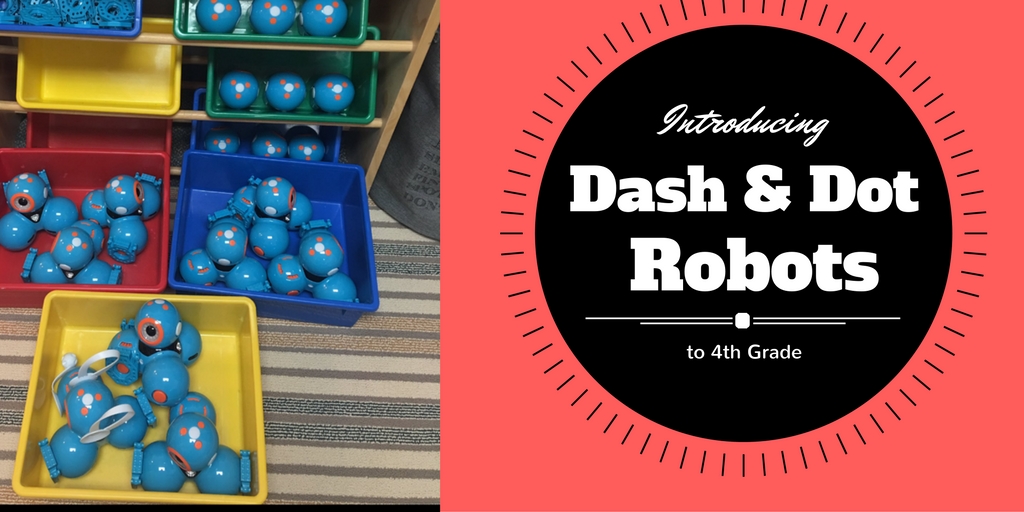
    Introducing Dash and Dot to Fourth Grade


    by Jessica Yandell

    Over the next few weeks, my goal is to make it into each grade level and introduce Dash & Dot. Over this school year, my plan is to create lessons and projects that incorporate our smart robots and pertains to each grade levels thematic units.


    Last week, I had the opportunity to visit all of the fourth-grade classrooms and give them an overview how to program Dash & Dot using the Blockly app.  The Blockly app is more advanced than the Go app that I used with the lower grades and is recommended for ages eight and up.  I started their STEAM lesson by sharing a powerpoint that demonstrated how each block category on the Blockly app is used. I referred back to the lesson, “Explorers of Coding,” and reminded the students they have to give specific instructions when writing programs.  


    As an introductory lesson, I let the class split into groups of four to practice programming a Dash robot using the Blockly app.  Their goal was to use at least one block from every category in their program.  At the end of class, I allowed each group to share the programs they had written.  I concluded the lesson by re-emphasizing how important it is to code specific instructions, or else the program may contain an error.


    This has been an awesome opportunity for our fourth graders to explore coding and technology and apply their experiences in the classroom as they study the “Age of Exploration.”  (lesson adapted from maekwonder.com)